Odoo Integration: Less Manual Work, Fewer Errors, More Control
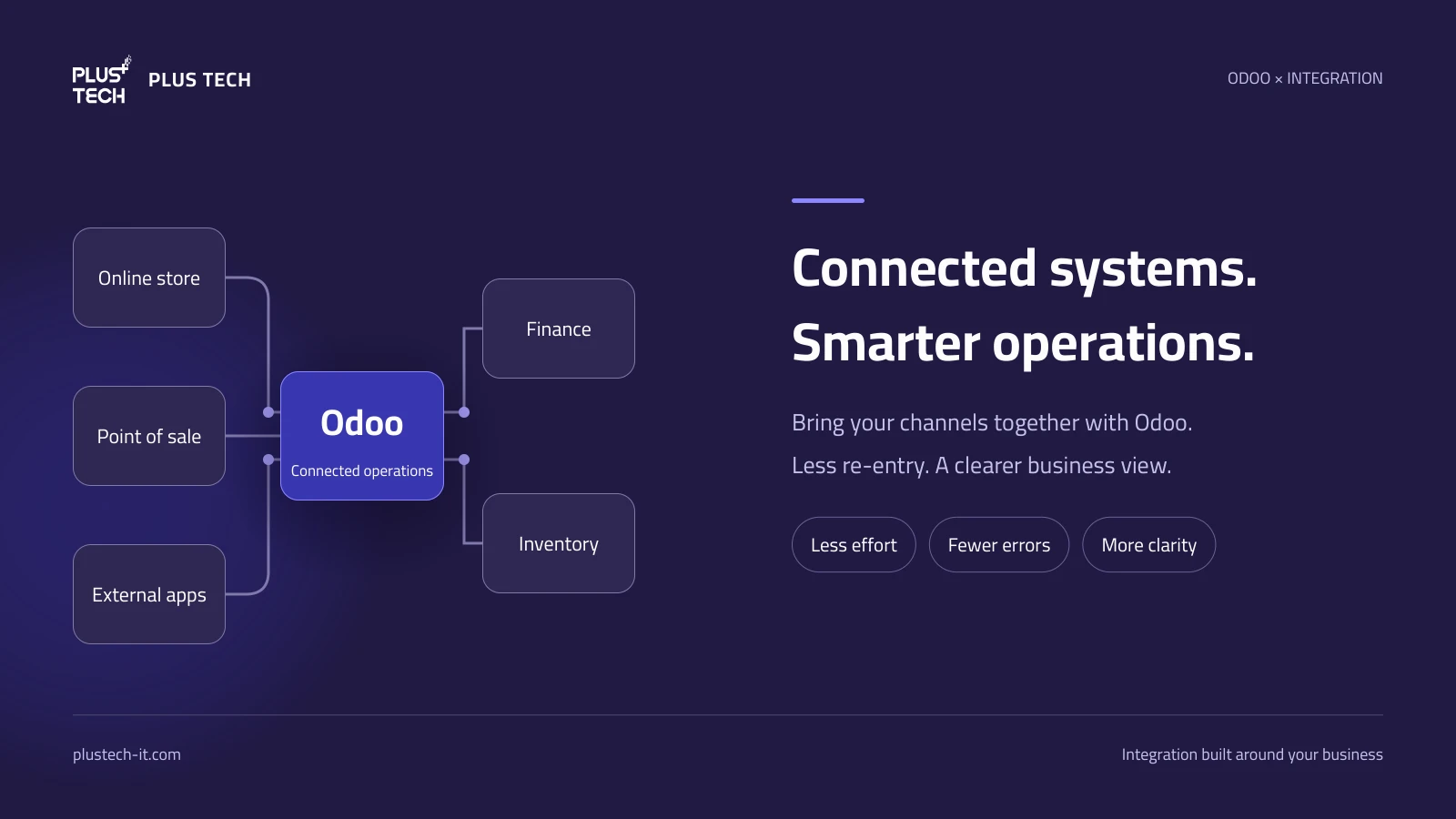
Every time your team copies an order into another system, retypes a customer record or reconciles a sales spreadsheet, it spends time that could support customers and growth. As transactions and branches increase, that effort becomes a daily bottleneck. Odoo system integration helps replace repeated data entry with a controlled flow of information between applications.
Successful integration connects more than software. It connects the sales, inventory and finance processes behind your business, helping teams work with more consistent information.
What is system integration?
System integration enables two or more applications to exchange data and perform defined actions according to agreed rules. Instead of downloading orders from an online store and entering them again, an integration can receive each order, validate its data and match it to the right customer and products in Odoo.
Data can move in one direction or both, in real time or on a schedule. The right approach depends on your operating needs, the external platform’s capabilities and its API limits.
Why Odoo is a strong foundation for integration
Odoo brings together business applications such as sales, accounting, inventory, CRM and eCommerce. Its APIs enable connections to external software, subject to the version, hosting environment and plan in use. This makes it a useful foundation for connecting sales channels with internal operations.
Integration extends that foundation: an order originating outside Odoo can feed fulfilment, accounting and reporting workflows inside it, according to the installed apps and approved configuration. You can retain specialist platforms while building a more connected view of the business.
Eight benefits of integrating systems with Odoo
1. Less repeated data entry
Capture information at its source and transfer the required fields automatically. Teams can review exceptions instead of copying every transaction.
2. Fewer input errors
Integration can reduce typing mistakes in quantities, prices, customer details and product selection. Field validation, reliable code mapping and duplicate prevention are essential. The quality of the source data still matters.
3. Faster workflows and time savings
Data moves according to the agreed event or schedule, reducing the wait for exports and handovers. This can shorten the time between receiving and preparing orders, or closing sales and preparing financial information for review.
4. More consistent business visibility
Shared definitions for products, customers and branches reduce differences between departmental spreadsheets. Management can review operations using a clearer information base, with visibility of the latest synchronisation time.
5. Better inventory coordination
Connecting sales channels to inventory supports stock monitoring and replenishment planning. Where the agreed scope includes outbound stock updates, it can also reduce the risk of advertising unavailable quantities. The authoritative stock source and update direction must be defined first.
6. Faster customer service
Accessible order data and statuses reduce time spent searching across platforms. Returns and enquiries become easier to follow when those processes are included in the integration.
7. More capacity to grow
A new branch or channel should not automatically require proportional growth in manual entry. An integration designed for expected volumes can support expansion, with performance testing and platform limits taken into account.
8. Clearer traceability and lower operating effort
Synchronisation logs and alerts show what succeeded and what needs attention. Less time spent entering, correcting and reconciling data can reduce repetitive operating effort. Well-organised data also provides a better foundation for analytics and appropriately controlled AI use cases.
 PLUS TECH · ODOO INTEGRATION
From repeated work to connected information
Results depend on data quality, integration design and monitoring
Practical integration examples
Foodics and Odoo for restaurants
An integration can transfer sales, payment and return information from Foodics into Odoo within the agreed scope. The design determines whether processing happens per order or as a daily branch summary. Taxes, discounts, charges, rounding and reconciliation need review before approving the financial impact.
Shopify and eCommerce integration
Connecting orders, customers and products reduces re-entry between the store and Odoo. Stock quantities, fulfilment statuses and returns may also be included where supported and agreed. Define which system owns prices, product codes and stock to prevent conflicting updates.
Specialist platforms
Some businesses need connections with order and delivery platforms such as Deliverect and Grubtech, or identity verification services such as Nafath. Each has different access requirements and data flows. Start with the use case and validate the available interfaces before designing the connection.
Explore Plus Tech’s Odoo integration solutions to identify the right starting point.
How can you measure the time saved?
Start with the daily transaction count multiplied by the average time spent re-entering each transaction. Compare that baseline with the effort required to monitor the integration and handle exceptions after launch.
Also track duplicate records, reconciliation issues, the delay before an order reaches Odoo, daily closing time and integration operating costs.
What makes an integration reliable?
A successful test transfer is only the beginning. Reliable integration requires:
- Clear data ownership: define the authoritative system and update direction for each data type.
- Accurate mapping: align products, customers, branches, units of measure and financial treatment.
- Duplicate prevention: use stable transaction references so retries do not create additional records.
- Recovery: retry in a controlled way, respect platform limits and expose failed operations.
- Appropriate access: provide only the permissions required and protect connection credentials.
- Realistic testing: cover cancellations, returns, missing data, time differences and expected transaction volumes.
- Ongoing monitoring: maintain alerts, logs, periodic reconciliation and a plan for platform changes.
Read next: Planning an Odoo integration — questions that prevent rework
How Plus Tech helps
We start by understanding where your team loses time and where errors recur. Together, we define the required data, its direction, frequency and intended actions in Odoo. We then configure or develop the connection, test business scenarios and help your team monitor operations and handle exceptions.
Our focus on Odoo helps us assess the complete workflow, from incoming data to its effect on operations and reporting. You can also explore Plus Tech’s Odoo-based solutions.
Frequently asked questions
Is every integration real time?
No. It may be event-driven or scheduled, depending on the platform, data volume and business need. The important point is to make the expected update time clear.
Does integration eliminate all errors?
It reduces repetitive-entry errors, but still requires accurate data, testing and monitoring. Incorrect source data or mapping rules can propagate mistakes unless validation controls are in place.
Can every system connect to Odoo?
We first review the external system’s interfaces, permissions and terms, alongside the Odoo version, hosting and plan. The solution may use an existing connector, custom development or integration middleware.
Where should we start?
Choose a frequent process with clear rules, such as order entry, and measure the outcome before extending integration to further workflows.
Connect your systems. Give your team time for what matters.
Tell us which platforms you use and which tasks you repeat each day. We will help assess how they can connect with Odoo.
Request a demo or quotationFurther reading: Official Odoo applications · Odoo API documentation