The rep at the store
In the Sayyar app, the rep opens a visit, checks customer details and prices, and records items, quantities and payments. Arabic and English receipts are available with a compatible printer.
Van sales and field distribution on Odoo
Know what each rep loaded, sold and brought back
Every van has its own stock balance. Every customer visit links an order to the goods delivered and the payment collected. With Sayyar Plus, the warehouse prepares the morning load, reps sell through the Sayyar app and finance reviews the stock and cash that come back.
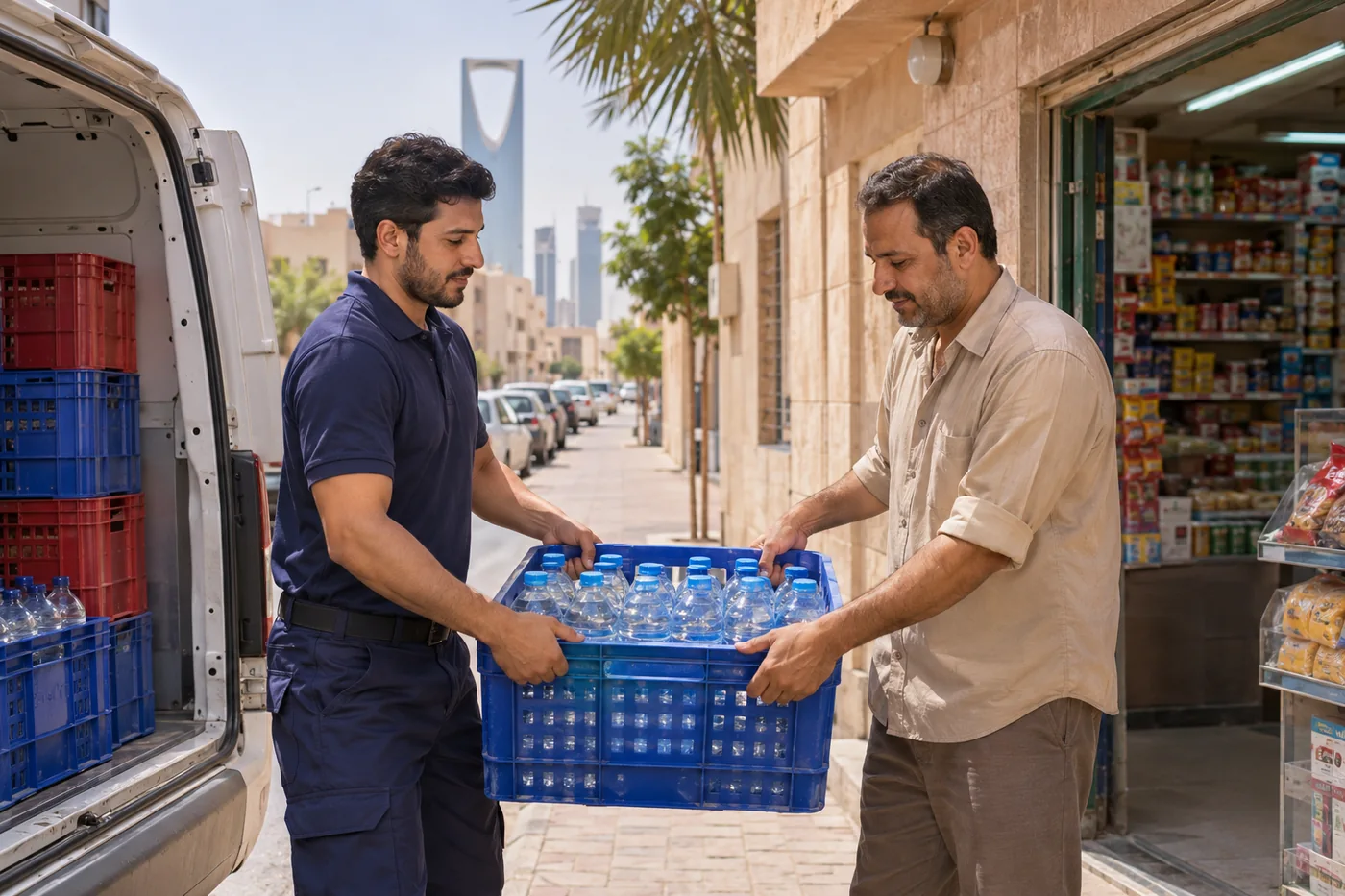
A route starts at the depot. Its result comes into focus when you compare what is still on the van with what the rep recorded at each stop.
Choose the customers to visit and sequence stops around delivery windows and vehicle capacity. Past orders help the warehouse estimate which products to load and in what quantities.
Transfer goods from the depot into the van’s inventory. For food products, the batches and expiry dates stay linked to the quantities issued for the route.
The rep sells from the van at the customer’s price or takes a pre-order for a later delivery. The visit also records any amount collected and the goods the customer returns.
Back at the depot, compare counted cash with recorded collections and the physical stock count with the expected van balance. A supervisor can see which item is short or which cash total needs investigation.
Choose a sales workflow to see how the goods and related payments are recorded.
Reps sell from the stock available on their van using the customer’s price list. Credit limits and discount approvals follow the rules set by the sales team.
A sales rep can take an order today and assign it to a different delivery route. If the store accepts a partial shipment or rejects an item, the delivery team records what the customer actually received.
Leave company-owned stock at a store and track the balance held there. When the store reports a sale or consumption, invoice that quantity and keep the remaining units visible on its account.
Record the crates or bottles delivered to each store and the empties collected. The account keeps its packaging balance and related deposits, including containers the customer returns on a later visit.
Link returned goods to the sale and record the quantity and reason. The team can route items for inspection and review a replacement or credit based on their condition.
Apply quantity offers, bundles and free items under the terms of each promotion. Where a retailer has agreed to a display, the rep can document its position with a shelf photo during the visit.
The rep, the supervisor and the accounts team work from the same customer visits, stock movements and collections.
In the Sayyar app, the rep opens a visit, checks customer details and prices, and records items, quantities and payments. Arabic and English receipts are available with a compatible printer.
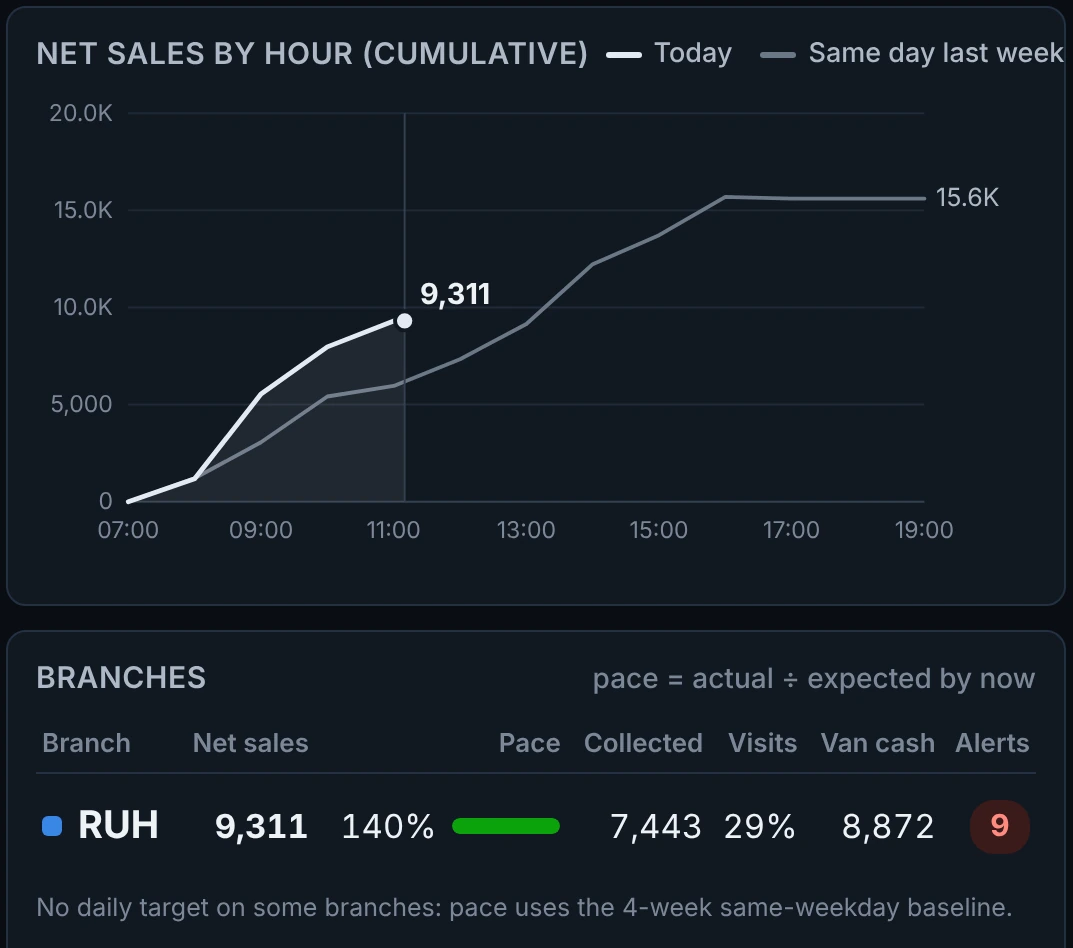
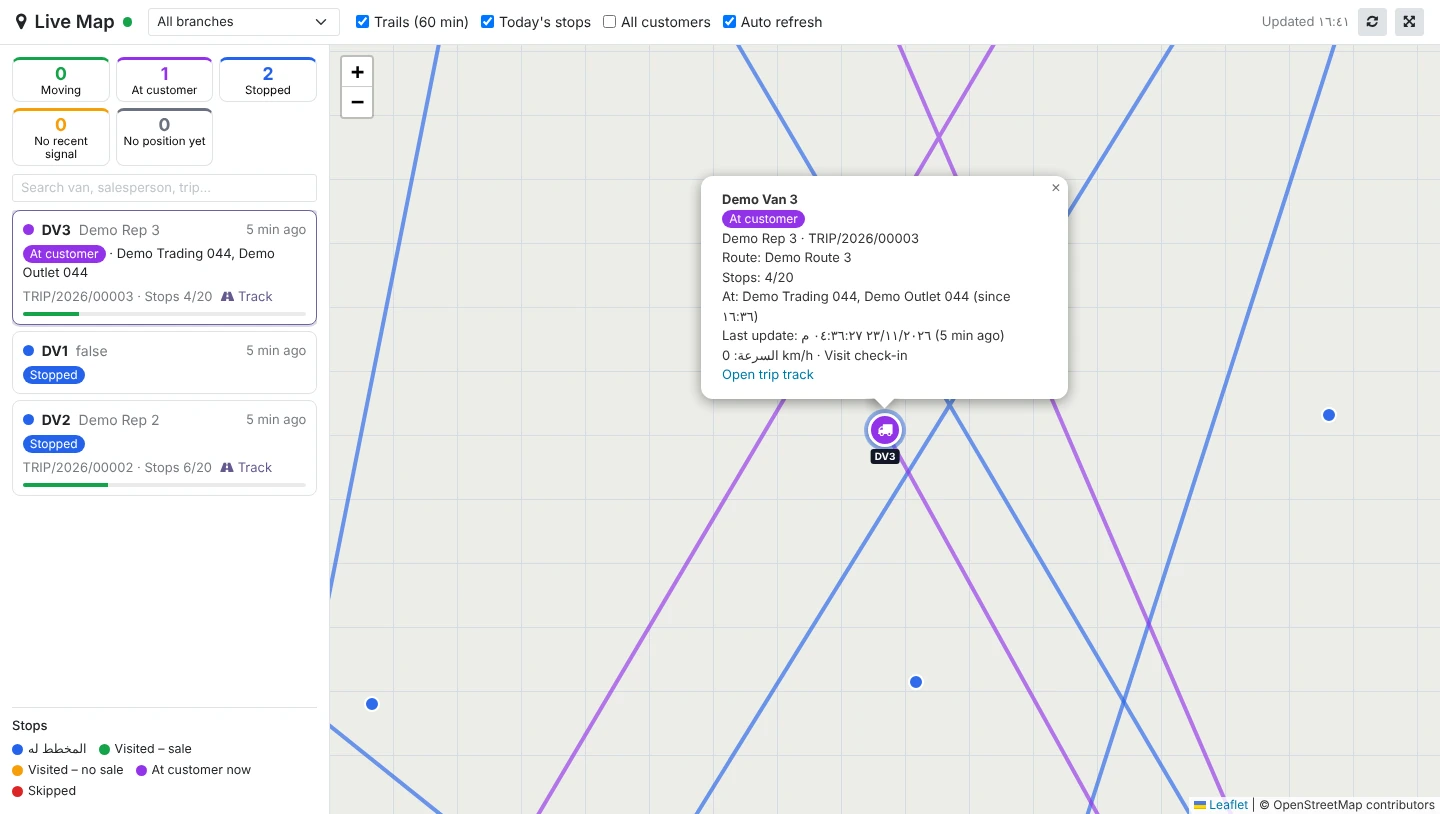
The operations dashboard shows visit progress, sales and collections. The map displays the last position received from a van, helping supervisors follow up on a delayed stop or an incomplete visit.
Finance reviews payments against sales and the cash each rep hands over, and follows transfers and cheques by status. Rep commissions can be based on revenue, margin or collections according to the agreed plan.
These screenshots use demo data. Open an image to see it at full size.
A rep delivers cases to a grocer and picks up empties from the previous visit. The distributor sees both the value of the sale and the containers still held by that store.
The warehouse loads batches with different expiry dates. On return, the team can review what sold, what came back from each batch and why it was returned.
A rep visits retailers, applies a promotion to a multi-case order, documents shelf placement and records the store’s payment during the same visit.
Sales teams collect orders, and supervisors assign them to delivery vans. Each branch can follow partial deliveries and see which customer balances are still outstanding.
With a direct sale, the rep delivers from the van’s stock during the visit. With a pre-order, the rep records what the store needs. Dispatch assigns it to a later delivery route and records what the store receives.
The rep can save a draft on the device and continue when the connection returns. Confirming stock movements, issuing an invoice and posting a transaction require a connection to the system.
The map shows the last known position and the time of that signal. Location updates while a van is moving require a configured tracking source. Supervisors can review the route history when recorded positions are available.
The invoicing flow uses Odoo’s Saudi localisation. During setup, we review the company’s configuration, certificates and connection status against its applicable e-invoicing requirements.
Tell us what you distribute, how many vans you run and how your reps sell to stores. We’ll walk you through one route from loading at the depot to reviewing the returned stock and cash.