Executive
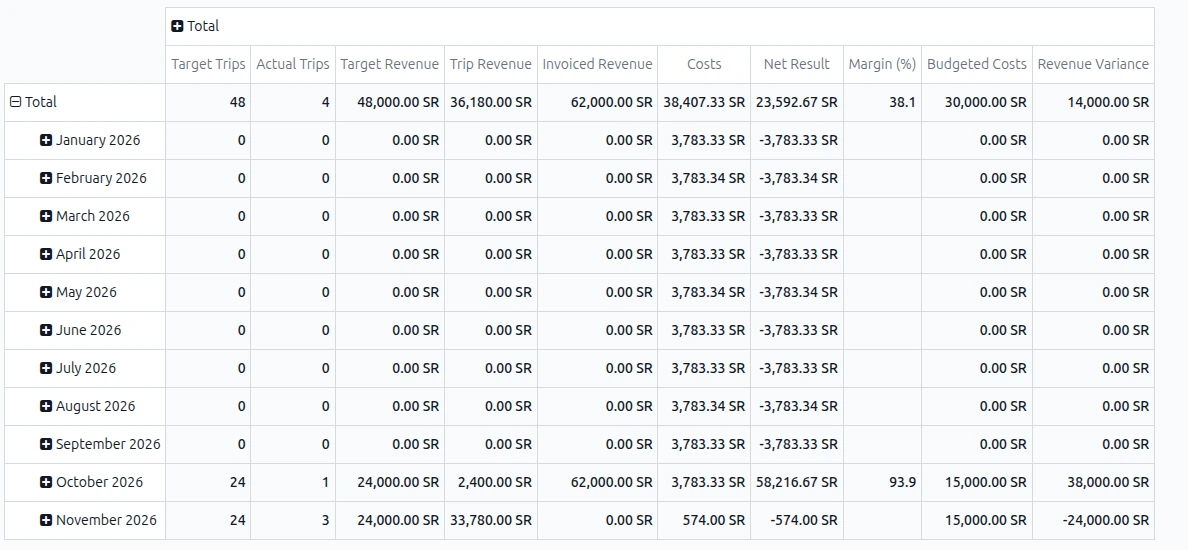
Compare actual revenue and fleet profitability with financial targets.

PLUS TECH / ODOO
From the first quote to the final invoice. Bring dispatch, maintenance, fuel and finance into Odoo, with each shipment linked to its driver, delivery record and costs.
Capture the cargo, pickup and delivery locations when a request comes in by email or through the sales team.
Estimate route costs and margin, quote the customer, and agree on a per-trip rate or monthly contract.
Assign an available vehicle and driver or book a carrier. Check for conflicting commitments before dispatch.
The driver receives the assignment on their phone, records pickup and delivery milestones, and sends documents or incident reports to dispatch.
The driver captures the stamped delivery document. The team can review it alongside the trip conversation before billing.
Review waiting charges and extra trips against contract terms. Compare revenue with operating costs to see what the vehicle earned.
Understand the cost of a lane before committing to a rate. Manage quotes and e-signatures, then track included mileage, trip allowances and contract overruns.
Plan stops and delivery windows, check availability and booking conflicts, and hand the next shift the trip history and open incidents.
Track truck and trailer readiness, document expiry and odometer readings. Link each vehicle to its driver and financial asset to review its operating costs and revenue.
Compare approved carrier rates by route and vehicle class. Assign the trip, track supplier charges and grant the external driver temporary access when needed.
Follow a breakdown from the driver's report through inspection, parts, labour and return to service. Track preventive work, vehicle downtime, accidents and insurance claims.
Set trip allowances and refuelling limits, then compare allocations with actual drawdowns. A configured Petro App connection can bring in consumption records and invoices.
Trace a part from purchase request and receipt to the repair order and vehicle it served. Follow tyres, batteries, returns and warranty claims through the same records.
Review attendance, mileage allowances, extra trips and driver expenses. Approved entitlements can flow into payroll through the HR suite.
Invoice individual trips or monthly contracts, track collections and carrier payables, and review vehicle costs, depreciation and revenue together.
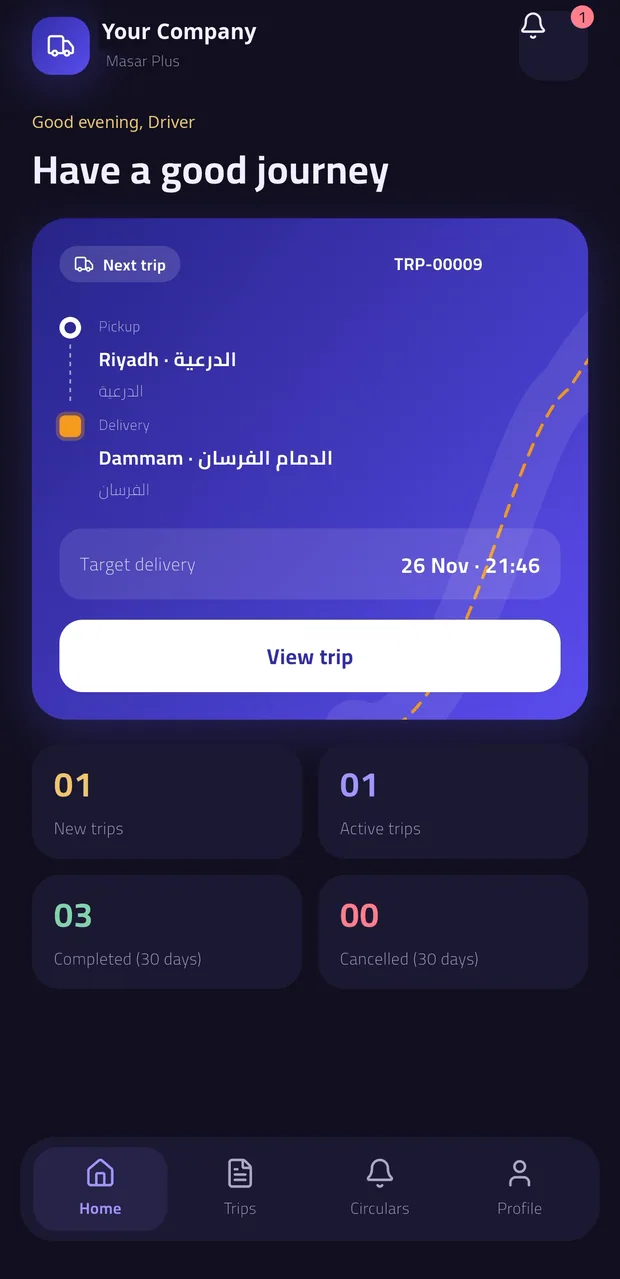
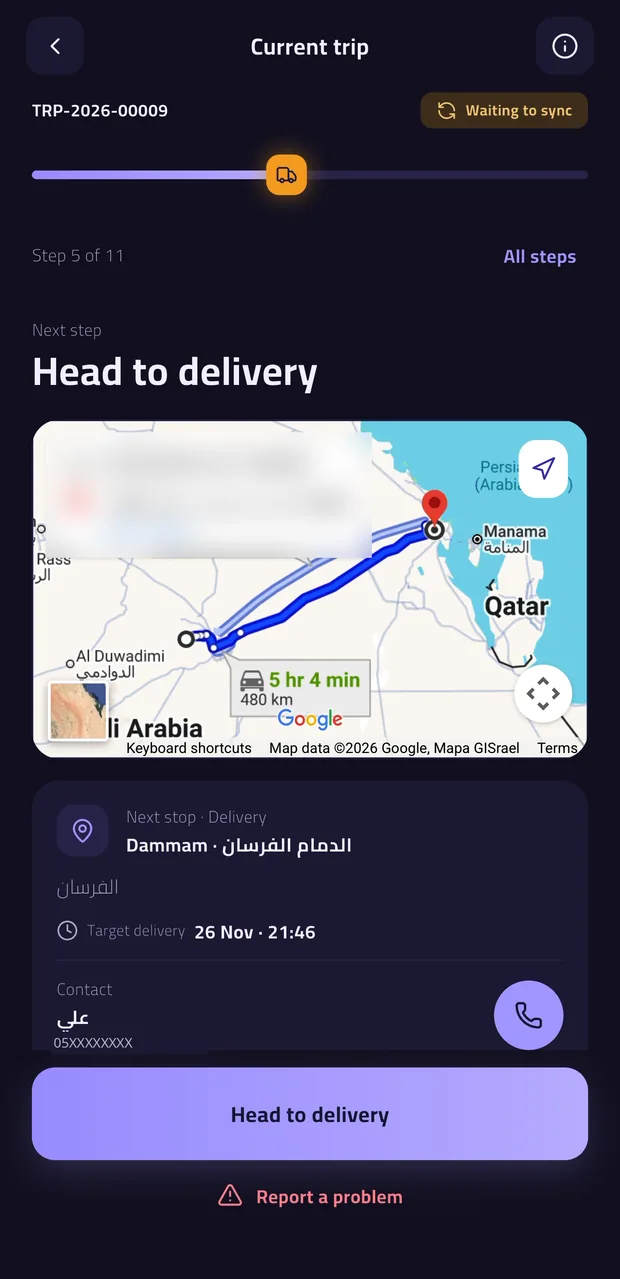
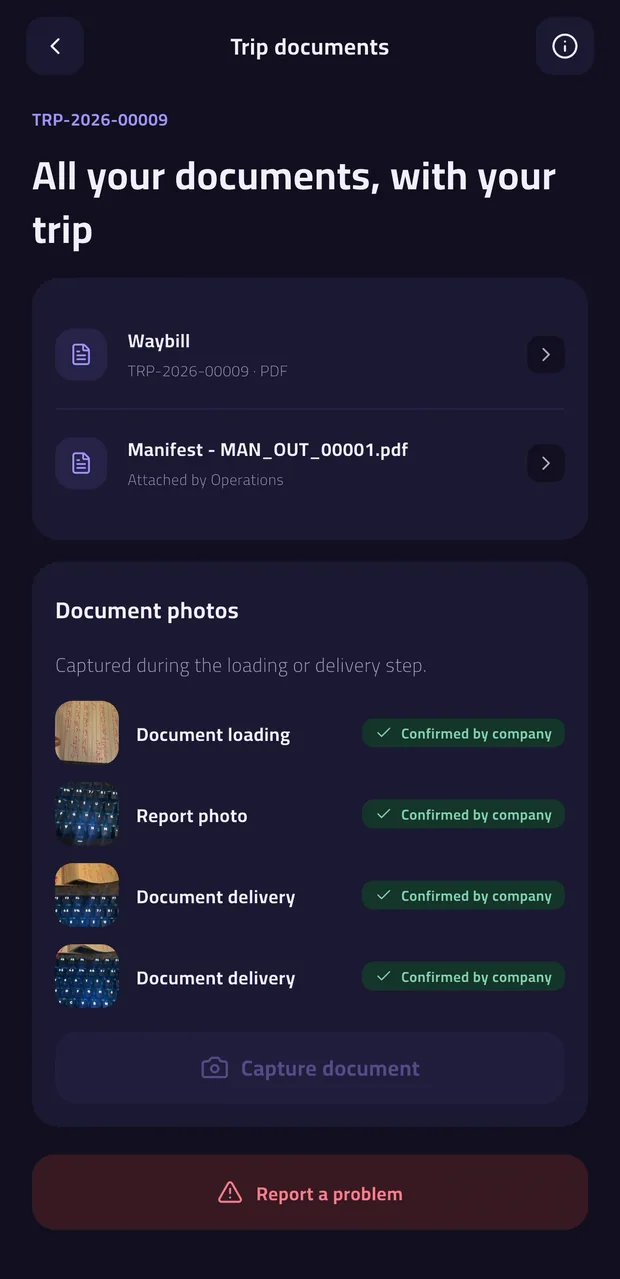
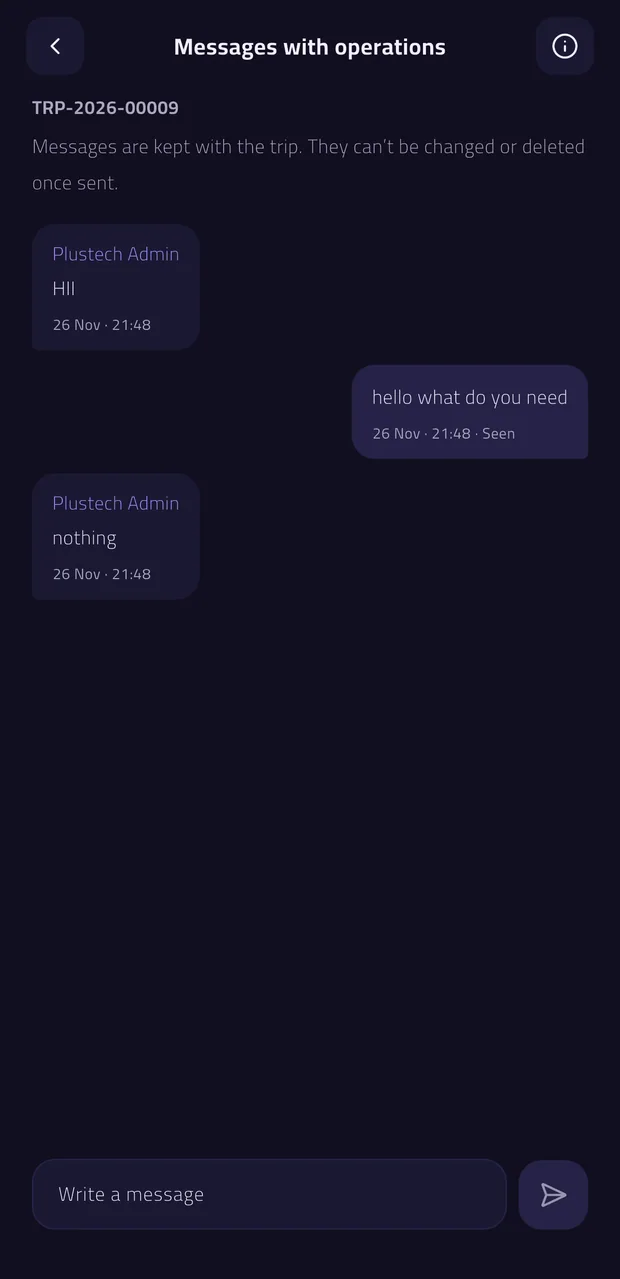
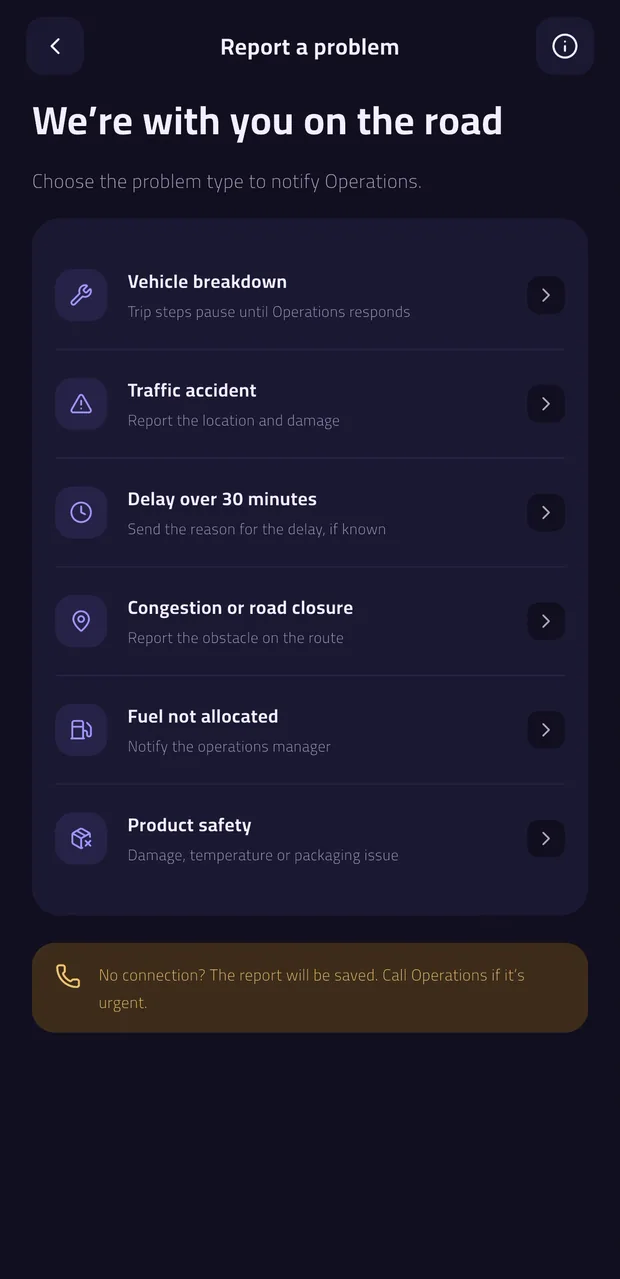
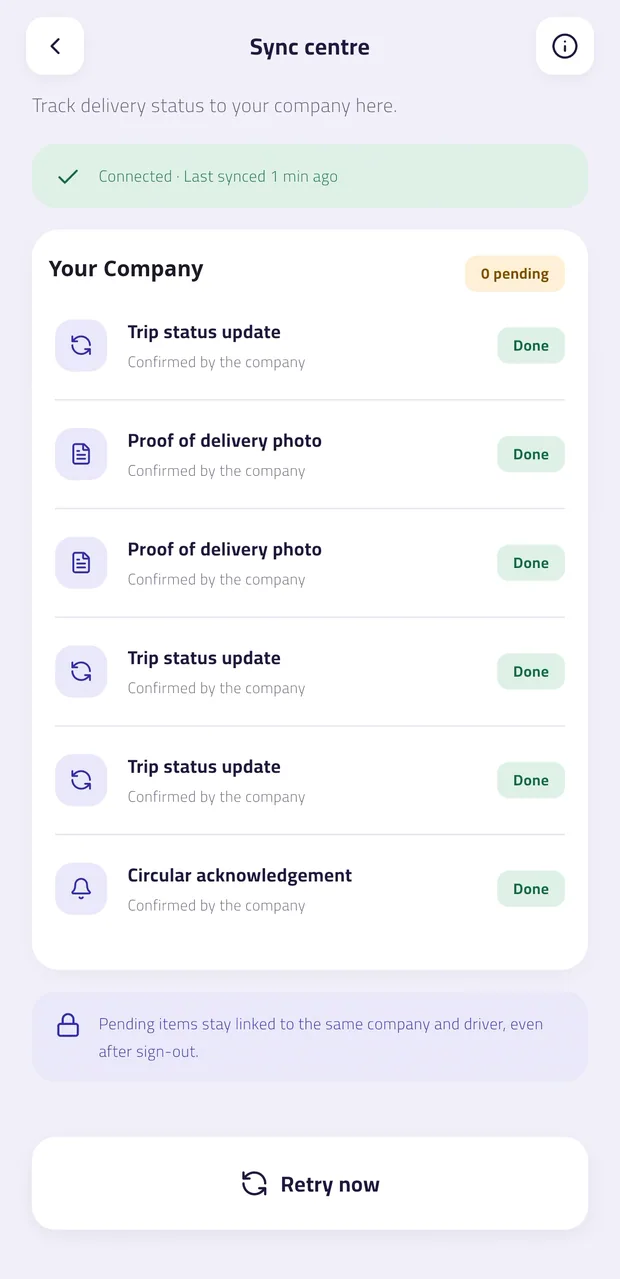
Dispatch assigns the trip. The driver returns updates and documents from the road. The app supports Arabic, English and Urdu. Explore its screens below.
The driver sees the load, pickup and delivery stops before accepting the job.
Drivers can review the route and open their maps app for directions to the next stop.
A trip requires proof of delivery before completion. Document photos stay with the trip for the billing team to review.
Each trip has a dedicated conversation with dispatch, keeping instructions and replies with the load.
Drivers can report breakdowns, delays and cargo issues with notes and photos from the site.
Pending actions are saved when the connection drops and synced when it returns. The driver can review delivery status.
Company drivers sign in to their own accounts, while external drivers can receive temporary access. Drivers can also acknowledge circulars and clock in or out from the app.
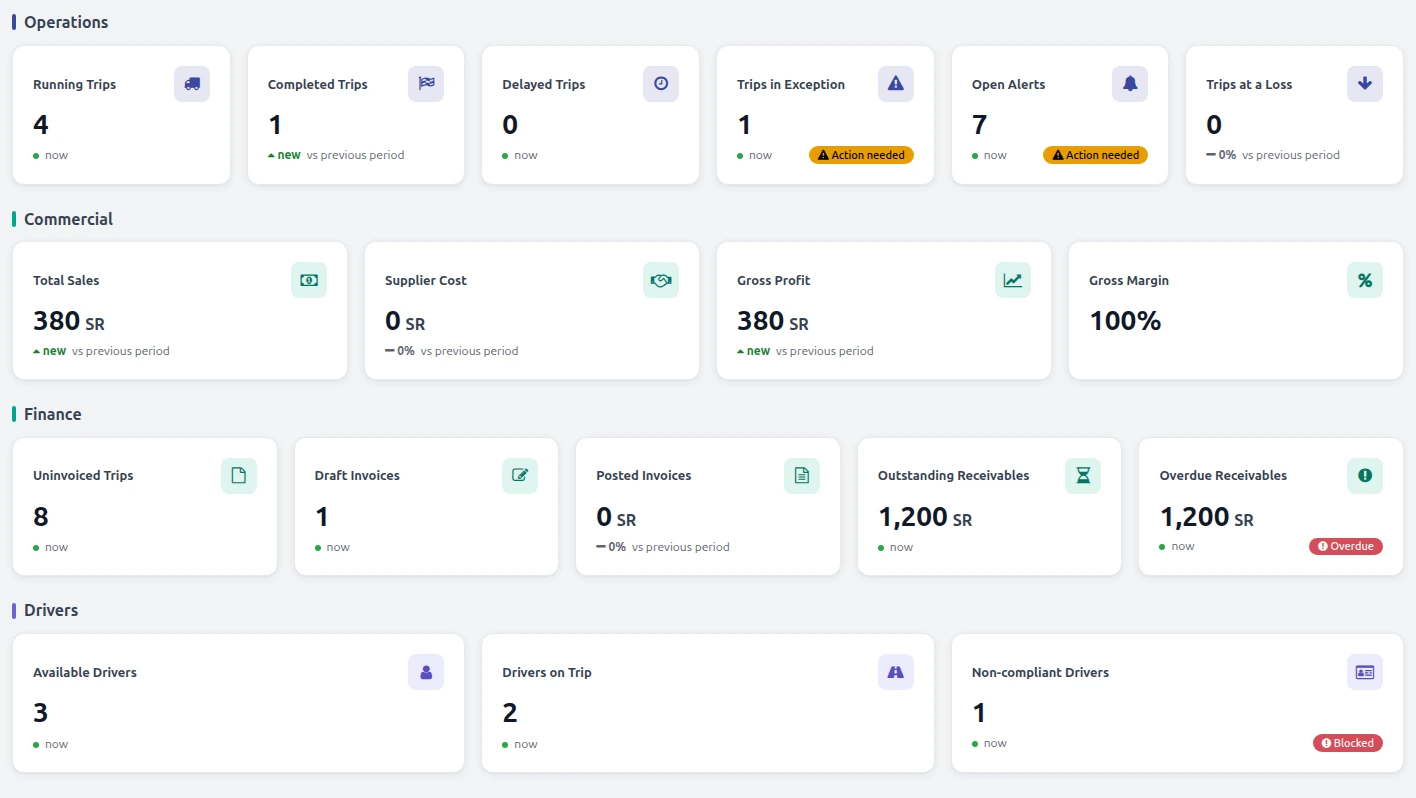
Compare actual revenue and fleet profitability with financial targets.
Identify active or delayed trips and the incidents that need attention.
Check vehicle readiness and map the vehicles connected to tracking.
Compare actual consumption and cost with trip fuel allowances.
Review vehicles out of service, open repair orders and maintenance costs.
Review quotations and transport contracts with the sales team.
Follow purchasing activity across carriers, suppliers and purchase requests.
Review driver entitlements and workforce indicators ahead of payroll.
External services require the relevant provider subscription, activation and configuration. Load and temperature data depend on the sensors fitted to the vehicle.

Bring vehicle location, speed, distance and route deviations into fleet monitoring. Temperature and load readings depend on the sensors fitted to each vehicle.

Connect trip fuel allocations and refuelling limits with consumption records and supplier invoices for financial review.

Issue, update, close or cancel electronic transport documents and keep the retrieved waybill with its trip.

Send SMS verification codes for driver account activation.
Assess the effect of distance, fuel, driver allowances, maintenance, insurance, depreciation and overhead on the trip rate. Review the target margin before approving the quote.
Follow waiting time, trip expenses and additional costs as they arise. For subcontracted loads, compare the carrier rate with the customer agreement.
Check delivery proof and billable items against the contract, then compare the vehicle’s actual revenue and costs with its financial target.
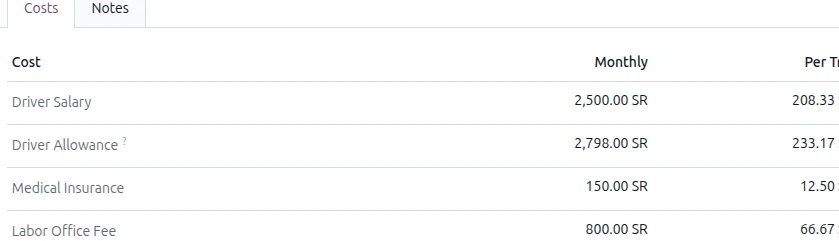
A company vehicle and employed driver work the trip. Dispatch checks both are available before assignment.
Keep the trip on a company vehicle and give the assigned external driver temporary trip access.
The carrier supplies vehicle and driver. Your team tracks delivery and the carrier's charges alongside customer billing.

Coordinate lane pricing, trip assignments and long-term contracts for intercity loads.

Connect loads with refrigerated vehicles and their maintenance history. Review temperature readings where connected sensors are available.
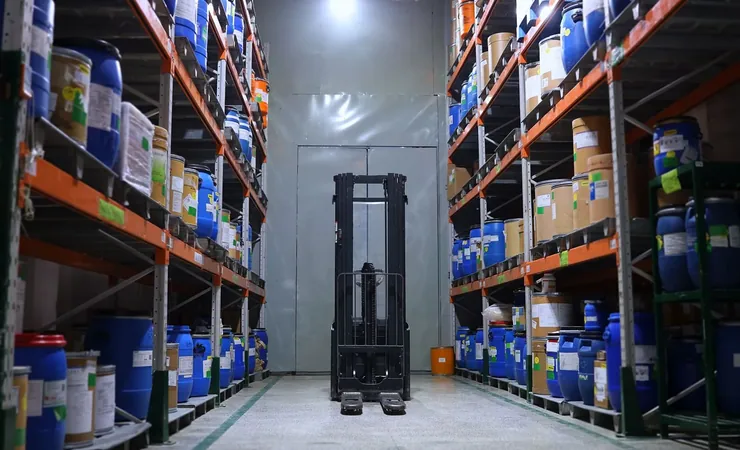
Keep delivery evidence, trip history and available temperature readings together for transport review.

Balance owned capacity with subcontracted carriers while tracking responsibility and assignment cost.
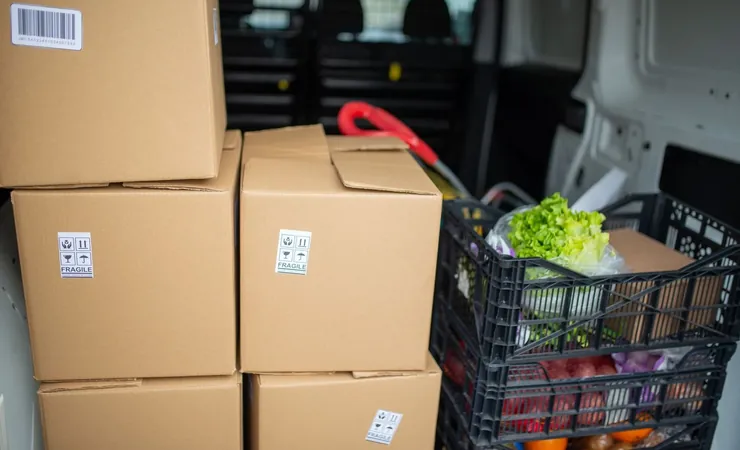
Track loading and delivery windows and retrieve signed-off documents when reconciling deliveries with the customer.

Review vehicle readiness, downtime, maintenance, fuel and earnings when making deployment or renewal decisions.
Set approval and access rights by role. Delegate approvals when necessary and retain a record of the decisions.
Review who changed a trip’s status, inspect delivery evidence and check operational exceptions before closing the transaction.
Inspect exchanges with external platforms and identify records requiring follow-up.
Sales can assess route, vehicle and carrier costs before making a commercial commitment.
Dispatch can see the trip stage, incident history, documents and conversation together when a customer calls.
The stamped delivery proof the driver captures stays with the trip that finance reviews for billing.
Compare vehicle revenue with fuel, maintenance and depreciation, then measure it against the financial target.
Bring a lane or contract you operate. Walk through costing, driver assignment and billing after delivery with the Plus Tech team.