
 New from Plus Tech · MCP technology
Ask Odoo in your own words… answered from your data
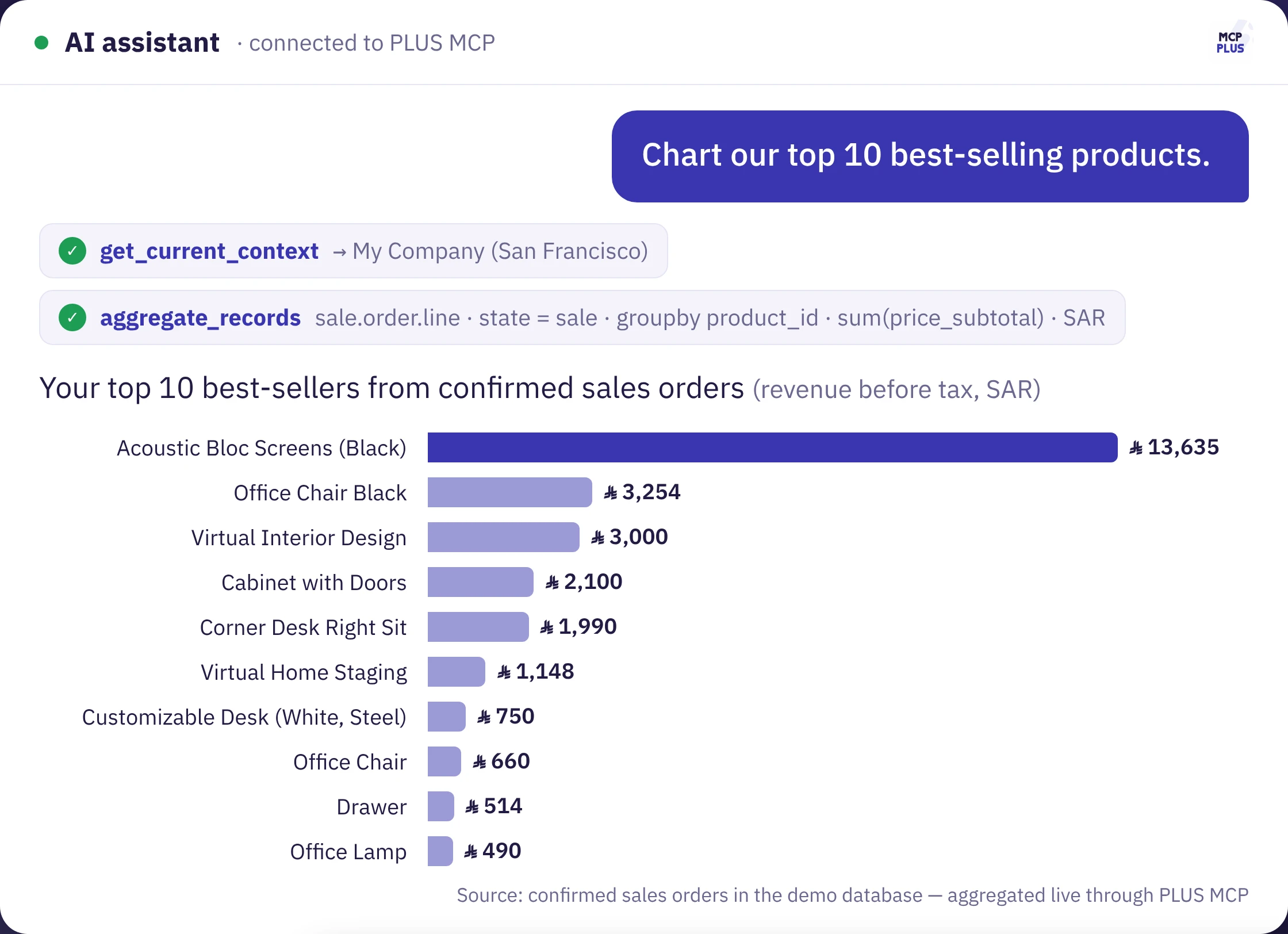
PLUS MCP connects Odoo to your AI assistant — Claude, ChatGPT or Copilot — so you can ask about sales, stock and customers and get figures, tables and charts from your real data, with your own permissions only.


See PLUS MCP in under 3 minutes
From activation and permissions to a live example: one question becomes a full best-sellers analysis.
Three simple steps
Activate the module
We install PLUS MCP on your Odoo, switch the connection on, and you choose which models are allowed and what each may do.
Connect your assistant
Copy the server URL into Claude, ChatGPT or Copilot as a custom connector, sign in with your Odoo account and approve the permissions.
Ask and get answers
Ask in Arabic or English. The assistant reads Odoo directly and replies with figures, tables and charts.
What can you ask?
Creating and editing are only available when you allow them for the user and the model.
Everything you need, in one module
ready-made tools
Search, read, count and group; create and update records; post notes; run approved business actions.
Analytics & charts
Group data by any field — customer, product, month — so the assistant turns it into instant tables and charts.
Print reports
Print Odoo reports such as invoices and quotations through secure, short-lived links.
Attachments
Read files attached to records and upload new ones.
Custom tools
Turn any Odoo server action into a tool the assistant can call for your own workflows.
Fully Arabic
Settings and consent screen in Arabic and English, plus instructions that steer the assistant, e.g. “answer in Arabic”.
You stay in control — security first
PLUS MCP works inside Odoo's own boundaries: no extra privileges, no access to anything you have not allowed.
The user's own rights
Every request runs with the connected user's access rights, record rules and companies — nothing more.
Allowed models only
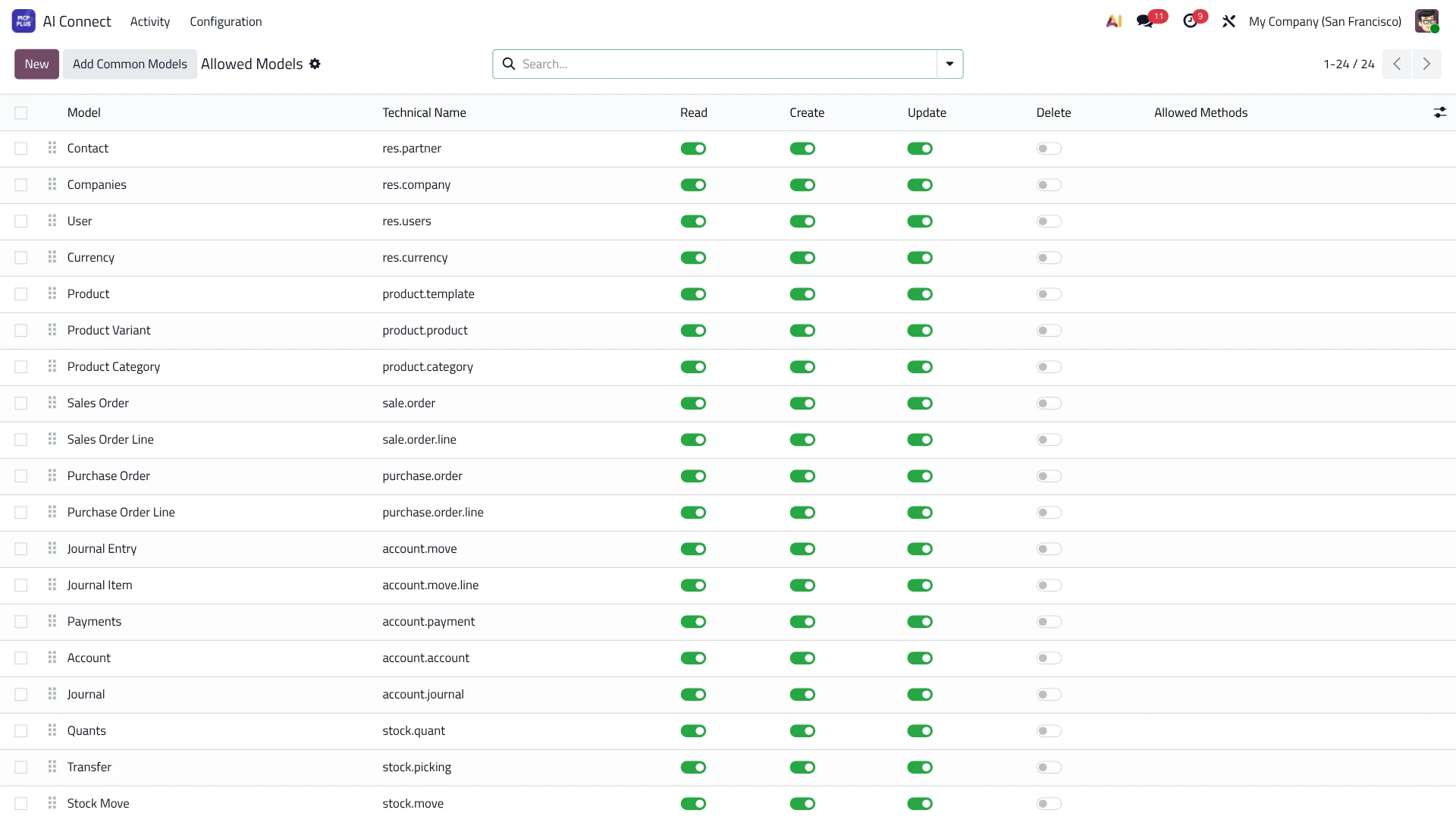
You choose which models the assistant can see, and per model: read, create, update, delete.
Read-only connections
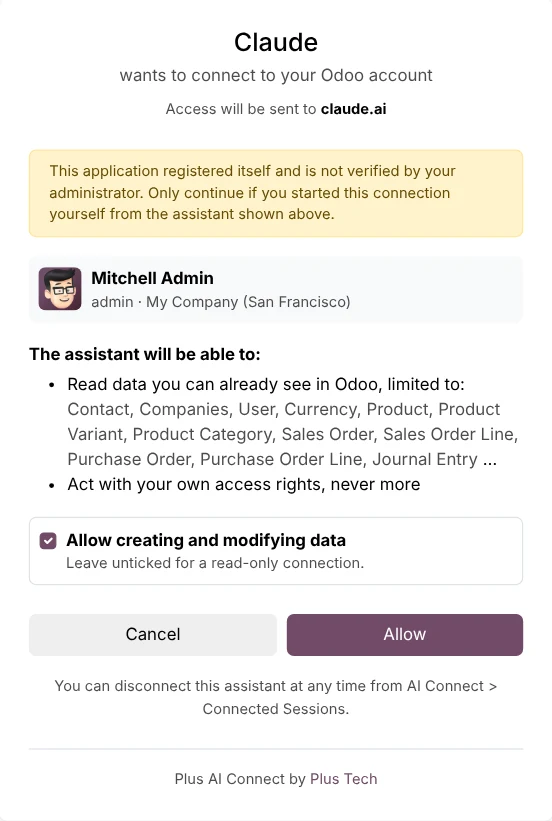
When connecting, the user can choose a read-only connection or read and write.
Secure sign-in
OAuth 2.1 with PKCE or API keys, with sessions you can disconnect at any time.
Full activity log
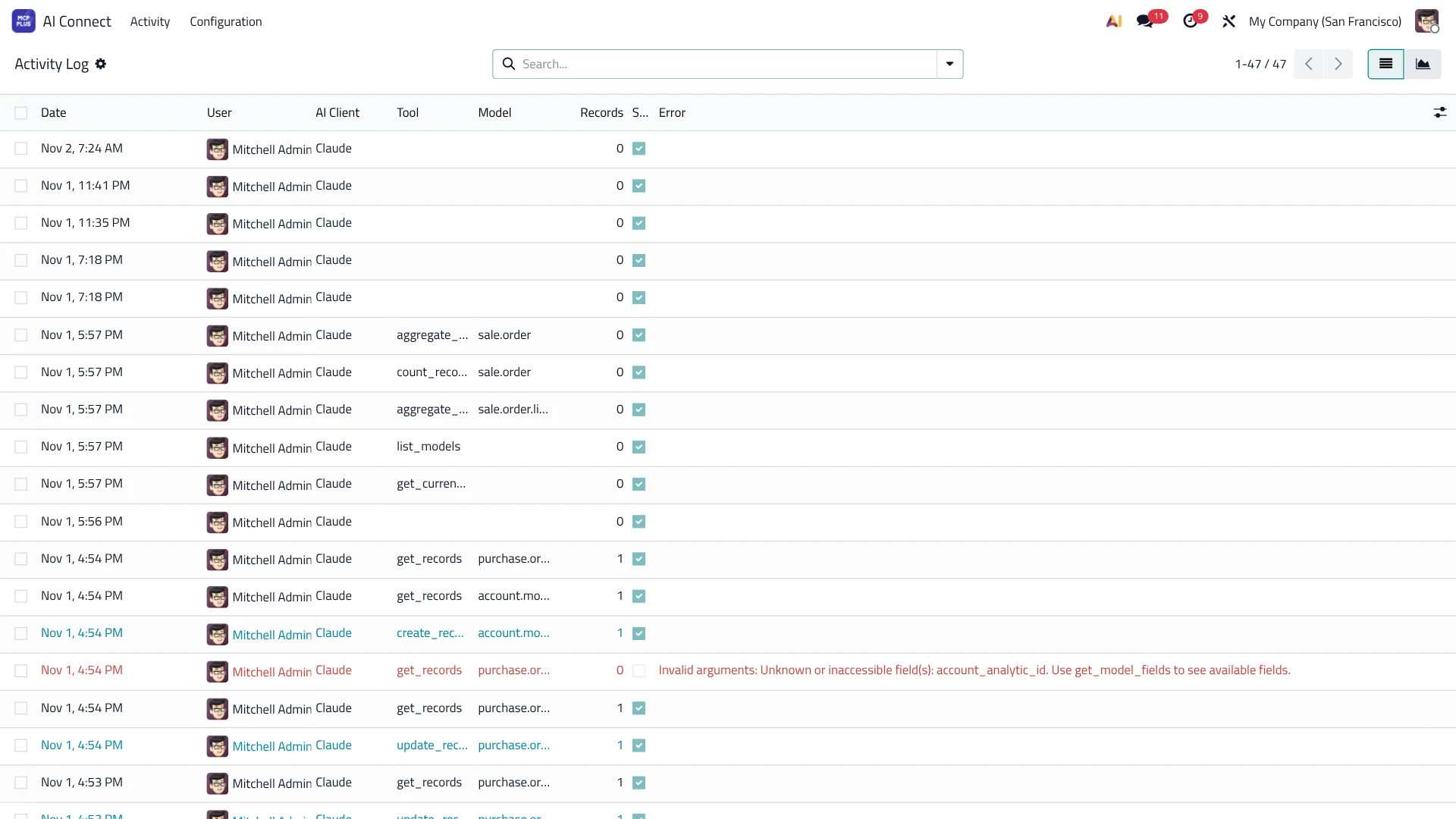
Every request is logged: user, tool, model and result — ready for review and audit.
Limits & safeguards
Rate limits, search and write limits, delete disabled by default, and password/key fields always hidden.
Free for Plus Tech clients
The module is free for our clients — you only pay for your own AI assistant subscription.
module cost for our clients
working days to activate, from first contact
Installation, setup and an explainer video
Requirements
- Odoo 17, 18 or 19 — Community or Enterprise — on Odoo.sh or your own server.
- A subscription to an AI assistant that supports custom (MCP) connectors.
Common questions
Is the module free?
Yes, for Plus Tech clients. You only pay for the AI assistant you use.
Which Odoo versions are supported?
Versions 17, 18 and 19, Community and Enterprise, on Odoo.sh or your own server. Odoo Online (SaaS) is not supported because it does not allow custom modules.
Can the assistant see all my data?
No. It only sees the models you allow, with the connected user's permissions, and sensitive fields such as passwords and keys are always hidden.
Can the assistant change or delete data?
Only if you allow it. Connections can be read-only, and deleting is disabled by default and must be enabled both system-wide and per model.
Where does my data go?
Your data stays in Odoo. The assistant only receives the results of the questions you ask, and their processing follows the policy of the AI provider you choose.
How long does activation take?
Within 15 working days of first contact, and we send you an explainer video on how to use it.
Does it work with my current Claude or ChatGPT plan?
The assistant needs to support custom (MCP) connectors, which depends on the plan. Our team will help you check.
Request PLUS MCP
Enter your details to prepare your service request, then send it to our team on WhatsApp.